


Clever: Brain Training Games
4.3684.00 Reviews
App Specs
- Version
- 1.52.5
- Updated On
- License
- Free
- Downloads
- 1,000,000+
- Developer
- DPM Apps
- Categories
- Education
- Platform
- Android
Screenshots
 Analysis by AppCompare
I tend to judge a brain-training app by a simple question: can I open it for a few minutes without turning the break into another chore? Clever: Brain Games & IQ Tests is built around short mental challenges, so it suits the sort of spare moment when I want to focus on something more engaging than scrolling. I’d treat it as a light, repeatable way to practise puzzles and attention—not as a measure of intelligence or a substitute for learning a subject in depth.
What kind of practice fits into a day?
The app makes most sense when I give it a small, specific place in my routine. A quick session while waiting for an appointment, for example, is easier to stick with than promising myself a long workout every evening. I’d choose a challenge when I have enough attention to follow its instructions, then stop when the break is over. That keeps the app useful without letting a casual exercise compete with work, study, or rest.
For a student, the appeal is a change of pace between reading and note-taking; for someone who enjoys puzzles, it is a convenient source of varied mental tasks. I would not expect it to teach school material or guarantee better concentration outside the app. The value is in having a structured activity to return to, and in noticing which kinds of challenges hold my attention or feel difficult.
How to use results without overreading them
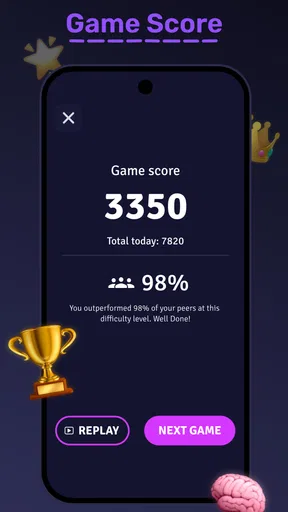
Scores and feedback can make practice feel more purposeful, but I’d read them as snapshots of performance in these activities. A result can be affected by whether I’m rested, distracted, or familiar with a particular style of puzzle. If I want a fair comparison with my own earlier attempts, I’d play under roughly similar conditions and look for patterns across sessions rather than attach too much meaning to one score.
That distinction matters especially with an IQ-style test. It can be entertaining to see how I handle its questions, but an app-based result should not be treated as a formal assessment of intelligence. If I need an educational evaluation or professional guidance, I would look to a qualified person instead. For casual curiosity, the tests offer a clear challenge; for serious conclusions about ability, they are the wrong tool.
Who will enjoy it—and who may prefer something else?
I can see this being a good fit for people who like switching among different kinds of brain puzzles and want an easy activity to pick up in spare time. It is also useful for anyone who finds a small daily prompt more motivating than choosing a new puzzle from scratch. If, on the other hand, I want a single deep strategy game, a course that teaches a specific skill, or a quiet activity with no scores or competitive element, I’d choose something designed specifically for that purpose.
Compared with a book of puzzles, an app can make it easier to move from one exercise to another and revisit practice as part of a routine. Compared with a full course, it is much less focused on teaching concepts step by step. I’d see it as a casual practice companion, not a replacement for either. A useful tip is to decide beforehand whether I’m opening it for a quick break or a longer session; that helps keep the experience intentional rather than chasing one more challenge.
Worth Reading Before You Choose

EA SPORTS FC Mobile 26 Is a Bigger Football Game, but It Takes Time

Flipboard Shows What News Apps Must Do Beyond the Feed

Switching to Android Auto Means Rethinking Your Driving Routine

Google Calendar Makes a Crowded Week Easier to Manage

Ludo King Makes the Most of the Minutes Between Plans

Baby Panda World Brings Quick Play to Modern Phones, but Its Game Library Feels Busy
Cost, access, and everyday expectations
The app is free to download, with optional in-app purchases ranging from $0.99 to $39.99 per item. I’d start with what is available without paying and consider an upgrade only if I understand what it adds and expect to use it. That is especially sensible for a casual habit: a purchase is easier to justify when the app has already earned a regular place in my day, rather than when I’m still deciding whether its puzzle style suits me.
It is an education app from DPM Apps, rated Everyone, and its average rating is 4.4 from around 3,700 ratings, with roughly 595 written reviews and over one million installs. Those figures suggest it has found an audience, but they do not tell me whether its particular exercises will suit my tastes. I’d use the first sessions to judge that for myself: do I enjoy the challenge, understand what I’m being asked to do, and want to return tomorrow?
Getting Started with Clever
First things first, let's talk about the installation process. Downloading Clever: Brain Games & IQ Tests is a breeze. Available on both Android and iOS, it took me just a few seconds to get it up and running. The app's interface is super intuitive, which is a huge plus. You know those apps where you feel lost the moment you open them? This isn't one of them. From the get-go, it guides you seamlessly into its world of mind-bending challenges.
A Game for Every Brain
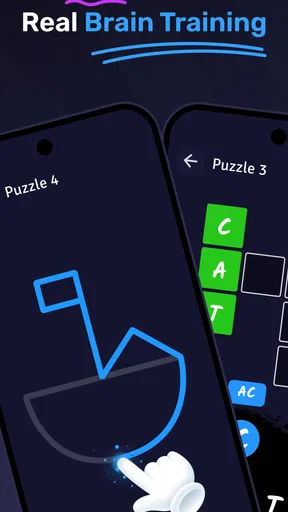
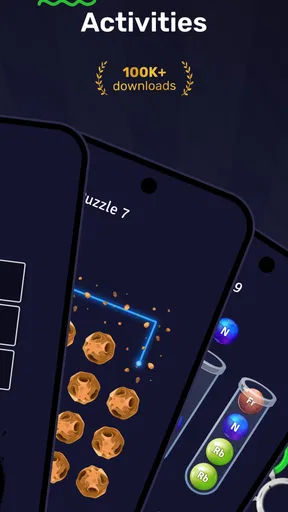
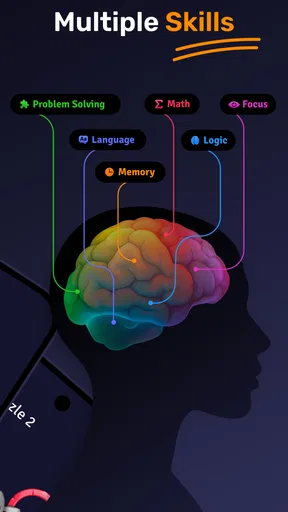
Once you're in, you'll find a plethora of games designed to tickle your gray cells. Whether you're looking to boost your memory, sharpen your attention, enhance your problem-solving skills, or just have some fun, there's something for everyone. I personally loved the variety. It's like having a buffet of brain games right at your fingertips.
One of my favorites has to be the memory games. They reminded me of those old-school matching games but on steroids. Each level challenges you just enough to keep you on your toes without being overwhelming. And the best part? The sense of accomplishment when you finally beat a level you've been stuck on. Talk about a dopamine rush!
IQ Tests: Are You as Smart as You Think?
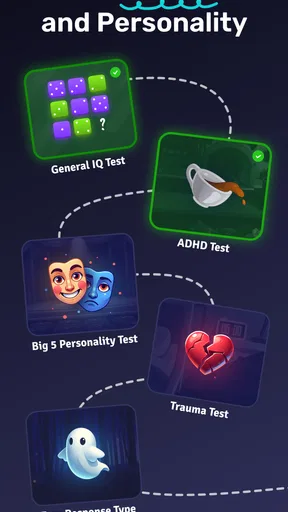
Now, onto the IQ tests. These are quite the highlight. If you've ever wondered where you stand on the intelligence scale, this app gives you a fun way to find out. The tests are well-structured and cover a broad range of cognitive abilities. I found them surprisingly challenging, which is exactly what makes them so engaging.
After completing the tests, you're given a comprehensive breakdown of your strengths and areas for improvement. It's like getting a report card for your brain! Plus, the feedback is encouraging and motivates you to keep pushing your limits.
Keeping You Hooked
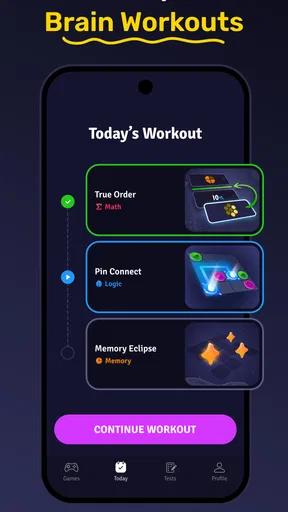
What really keeps me coming back to Clever is the progression system. The more you play, the more you unlock. There's always a new challenge waiting around the corner. The app also offers daily challenges, which are perfect for those days when you just need a quick brain workout. It's like a mental gym session!
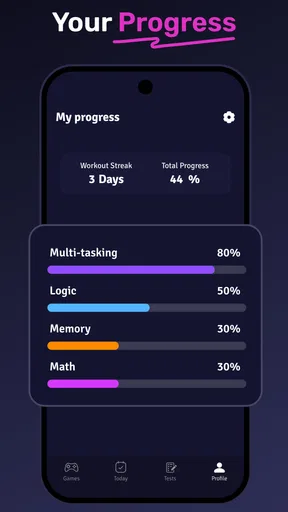
The app also has this nifty feature where it tracks your progress over time. It's genuinely satisfying to see how much you've improved. Also, the app's community feature allows you to compare scores with friends, adding a competitive edge to the experience. Nothing like a little friendly competition to boost motivation, right?
Final Thoughts
In a world where we're always looking for ways to enhance our skills and stay sharp, Clever: Brain Games & IQ Tests is a must-have. It's not just an app; it's a fun and engaging way to invest in your cognitive health. Whether you're on a lunch break, commuting, or just lounging at home, this app provides a productive escape. So, if you're ready to give your brain a workout, I'd say go ahead and download it. You won't regret it!
Speed, stability, and session rhythm
For a puzzle app, perceived speed is less about racing through screens and more about whether a short session feels easy to begin and finish. The quick-challenge format described here suits brief use, though the pace of an individual exercise depends on how quickly I understand and solve it. I wouldn’t assume that every task is equally fast: a familiar memory round may fit neatly into a pause, while a tougher test can ask for more uninterrupted attention.
When I’m deciding whether to open it during a busy day, I’d leave a little margin rather than start a test just before I need to leave or return to a meeting. That is a practical distinction between a small daily exercise and a longer challenge. It also prevents the app from making a short break feel rushed. If I have only a moment, I would choose a clearly bounded activity; if I have more time, I can settle into a harder one.
When use gets heavier
Repeated play changes what I’m asking from the app. A single challenge is a casual diversion; several rounds in a row can turn into a longer screen session, especially when progression gives me a reason to continue. I’d set my own stopping point before I begin, rather than rely on the next unlock to decide when I’m done. That small habit is useful for anyone who tends to lose track of time in games.
There is also a trade-off in repeating familiar exercises. Practice may make a puzzle style feel easier, but that does not necessarily mean I have improved an ability in every everyday situation. I’d use variety to keep sessions interesting and avoid treating a rising score as a complete picture of cognitive health. If the aim is simply entertainment with a mental twist, repetition is no problem; if I want broader learning, I’d pair it with a more focused activity.
Reliability and picking up again
The app’s progress tracking and daily challenges give a session a sense of continuity, which can make it easier to return after a gap. I would still treat a missed day as just a missed day, not a broken streak or a failed routine. A brain-training habit is more sustainable when it bends around real life. If I stop midway through a longer activity, I’d avoid assuming that the app will preserve every detail of that session; I’d simply resume with a fresh challenge when convenient.
For a dependable routine, I’d keep the goal modest: a few minutes when I genuinely have the attention for it, rather than opening the app automatically in every spare second. That helps separate enjoyable practice from obligation. The social comparison element may encourage some users, but it can also shift attention from personal progress to other people’s scores. I’d use it only if friendly competition makes the experience more fun, not if rankings make a casual puzzle feel like a test I must pass.
Device fit and sensible expectations
The current version is 1.43.5 and the minimum Android requirement is version 9. That gives Android users a concrete compatibility check to make before installing; iOS users should check the app’s current store page for their device requirements. As with any collection of interactive exercises, actual responsiveness can vary with the device and its available resources, so I wouldn’t promise identical smoothness on every phone. If the app feels sluggish, closing other demanding apps and restarting it are sensible first steps before deciding the experience itself is at fault.
I would also be cautious about using it in situations where interruptions are likely. A commute can sound like an ideal time, but if I’m driving, walking through a crowded area, or repeatedly switching attention, a concentration exercise is a poor fit. Waiting safely in one place is different: there, a short challenge can make the time feel more engaging. The right device setup is less about chasing high performance and more about having enough battery, a comfortable screen, and a moment when I can focus.
My practical verdict
What I like most is the mix of short exercises, memory challenges, test-style puzzles, and reasons to return. The main caveat is that the app’s scores and progress are best enjoyed as feedback about play inside the app, not proof of a lasting change in real-world ability. Anyone looking for a structured academic course, formal cognitive assessment, or a distraction-free puzzle book should choose a more specialized alternative. For a casual, varied mental break, though, this is a convenient option—provided I keep expectations realistic, check the purchase choices before spending, and let my own routine set the pace.
Pros
- Variety of challenging puzzles
- Easy-to-use interface
- Improves cognitive skills
- Regular updates with new games
- Suitable for all ages
Cons
- Contains in-app purchases
- Some ads can be intrusive
- Requires internet for full features
- Limited free content
- Occasional performance lags
FAQs for Clever: Brain Training Games
What is Clever: Brain Games & IQ Tests and how does it work?
Clever: Brain Games & IQ Tests is a mobile application designed to challenge and improve your cognitive skills through a variety of brain games and IQ tests. The app offers puzzles, memory games, logic exercises, and other tasks that stimulate different parts of the brain. Users receive feedback and progress tracking to help identify areas for improvement.
Is Clever suitable for all age groups?
Yes, Clever is designed to be suitable for a wide range of age groups. It offers different levels of difficulty, ensuring that children, teenagers, and adults can all find appropriate challenges. The app aims to be engaging and educational, making it a great tool for lifelong learning and mental fitness.
Does Clever require an internet connection to use?
Clever can be used both online and offline. While an internet connection is needed for initial download and for accessing certain features like leaderboard updates and new content, most of the games and tests can be played offline. This makes it convenient for use during travel or in areas with limited connectivity.
Are there any in-app purchases or subscriptions in Clever?
Clever offers a mix of free content and premium features. While the app provides a variety of free games and tests, there are in-app purchases and subscription options available. These may include access to exclusive content, advanced tracking features, and an ad-free experience. Users can choose whether to upgrade based on their preferences.
How does Clever ensure the accuracy of its IQ tests?
Clever uses scientifically-backed methodologies to design its IQ tests, ensuring they are both challenging and accurate. The tests are developed by experts in psychology and cognitive science, providing reliable assessments of various cognitive abilities. Regular updates and feedback from users help maintain the quality and relevance of the tests.


